Mobile tour

Group chat that fits in your pocket

Obelisk on Android, iOS and any modern mobile browser. NIP-29 channels, voice with SFU, encrypted DMs and Lightning zaps. All backed by your Nostr keys: no email, no password.

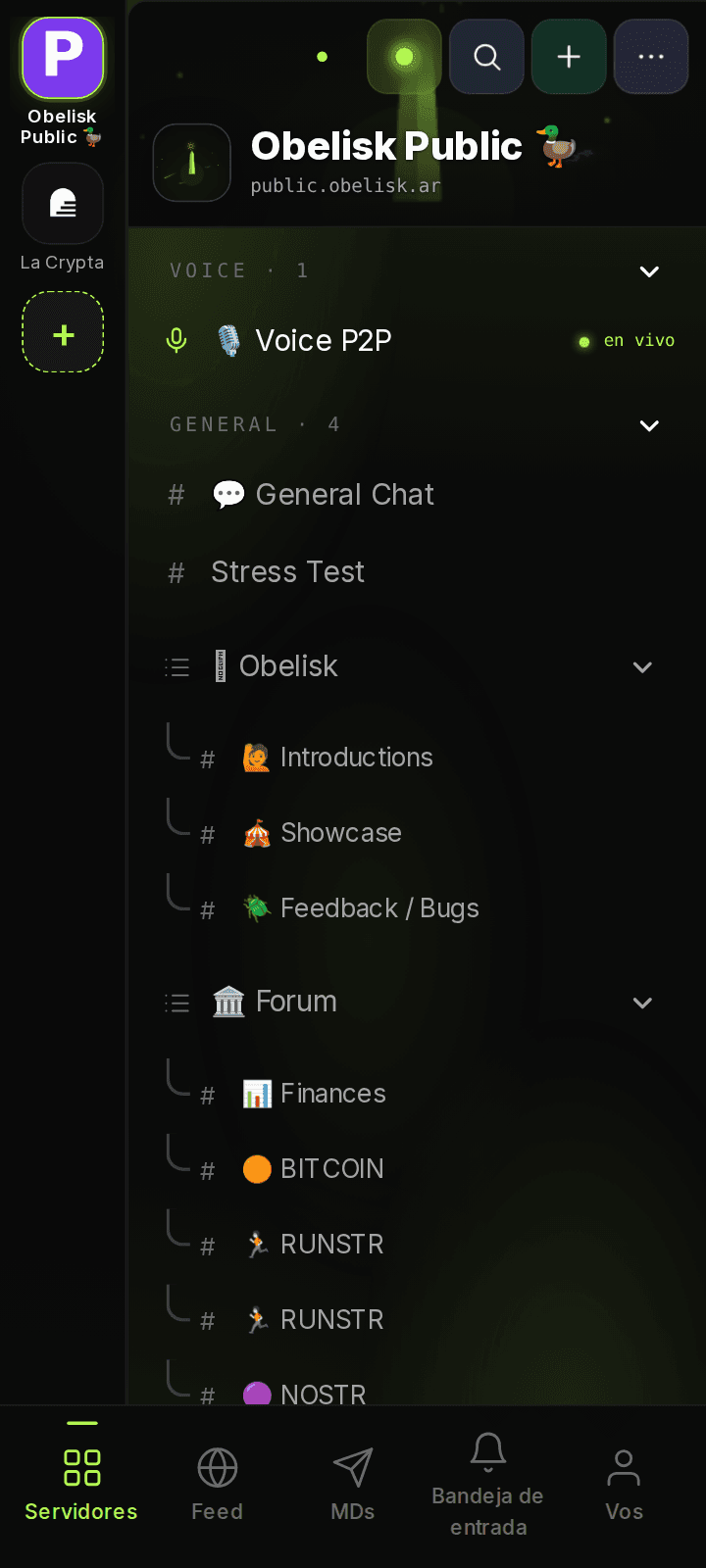
Obelisk mobile home, with server icons on the left and the relay's channels by category: Voice, General, Obelisk and Publications.
Servers & channels

Discord-style server list, mobile-first

Your relays show up as servers. Inside each, channels are grouped into the categories the operator publishes (general chat, publications, voice, anything you want), with unread badges and live indicators just like Discord.

  • Pinned server rail at the top
  • Operator-controlled categories
  • Publications nested under their parent
  • Live indicators on active voice channels
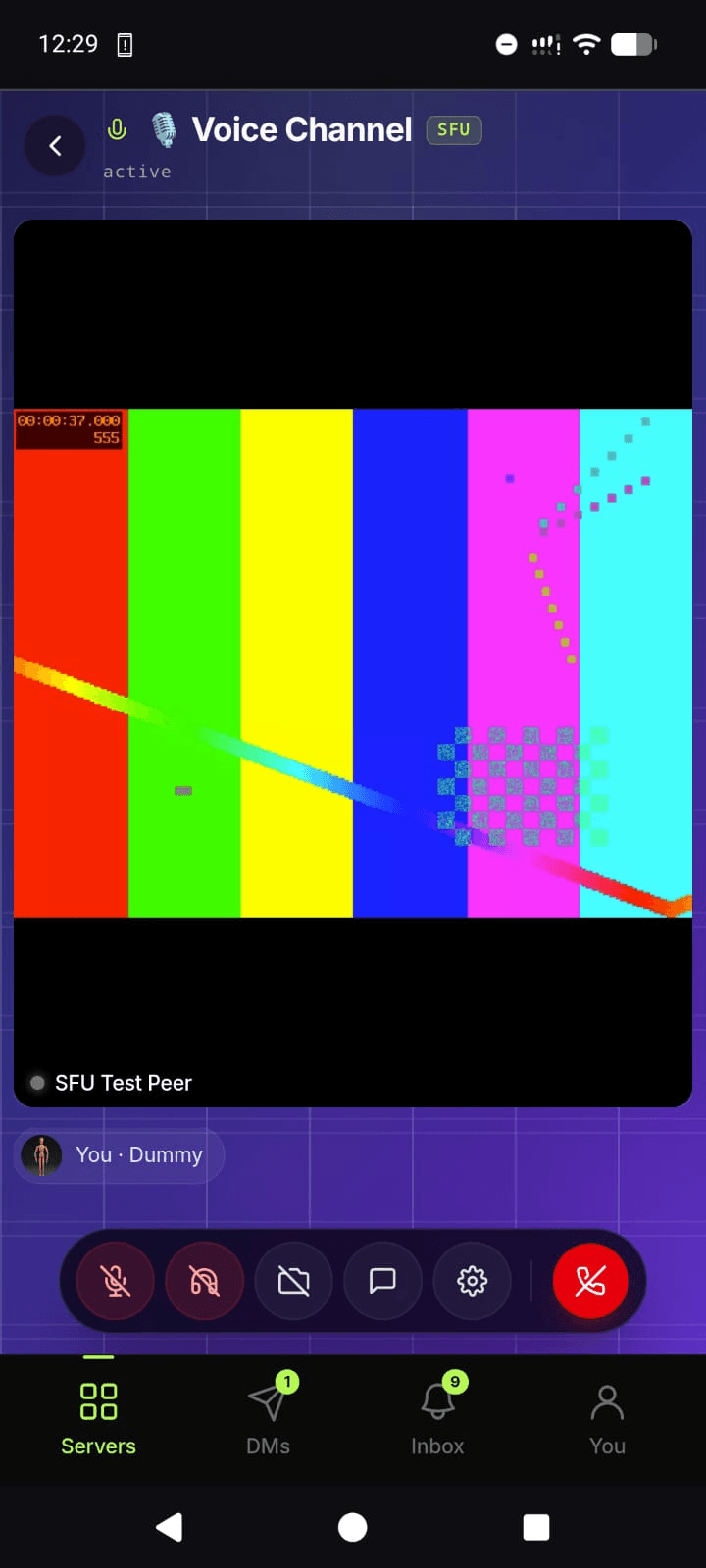
Obelisk mobile voice channel running in SFU mode with a test peer transmitting an SMPTE color-bar video stream.
Voice • SFU

Voice and video that scales past mesh

Small rooms run as a P2P mesh signaled over Nostr (kind 25050). Big-room voice channels route through a mediasoup SFU the channel admin picks, so a room scales to dozens of participants with the same controls.

  • Mesh for up to 4 people, SFU channels for big rooms
  • Mute, deafen, screen-share and chat from one bar
  • Bottom nav stays put while you talk
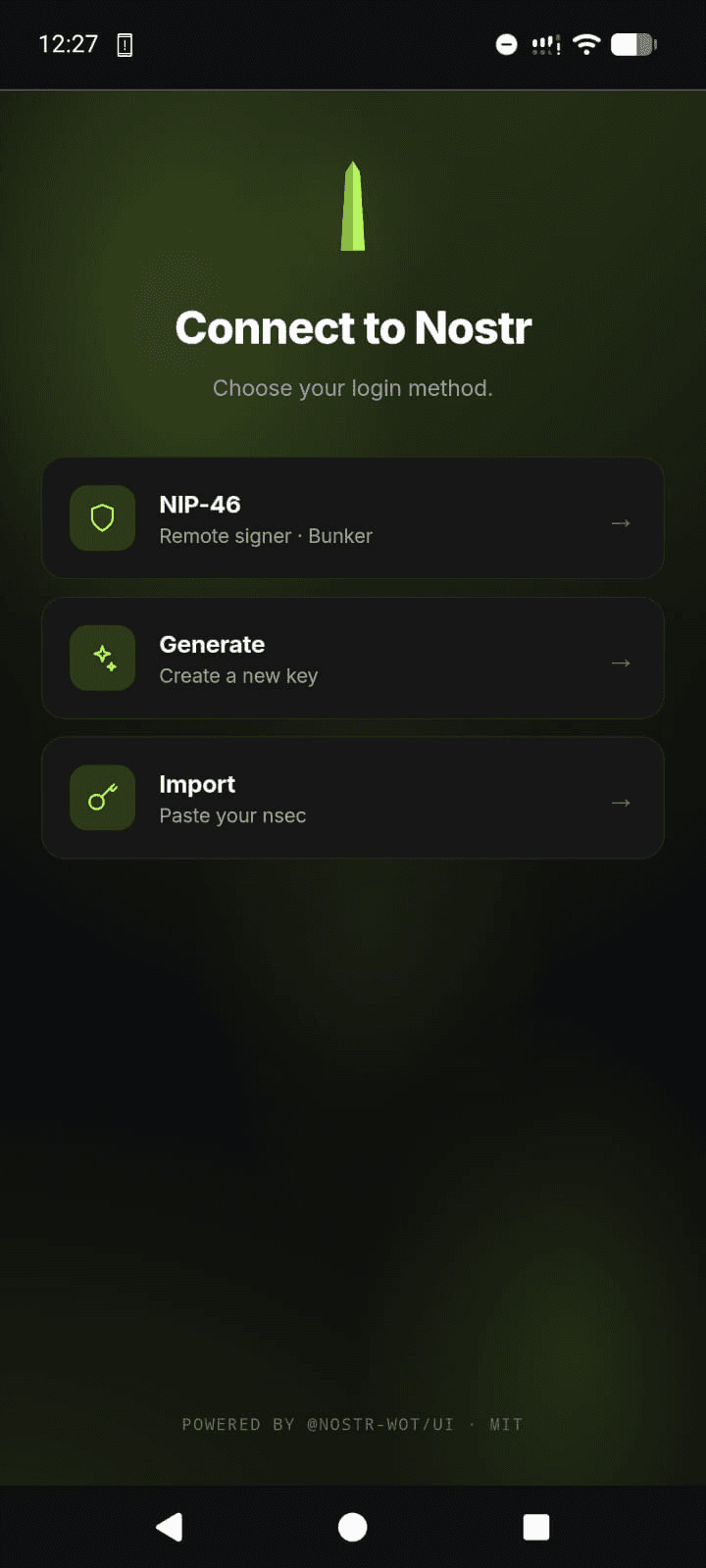
Obelisk mobile login modal showing three options: NIP-46 remote signer, generate a new key, and import an existing nsec.
Sign in with Nostr

No email, no password, three ways to log in

Pick the signer that matches your habits: a remote bunker via NIP-46 (Amber, nsec.app), generate a brand-new key on device, or paste an nsec you already own. Onboarding is one screen.

  • NIP-46 bunker via QR or URL
  • Generate-and-back-up flow for new users
  • Paste your existing nsec - your keys, your account
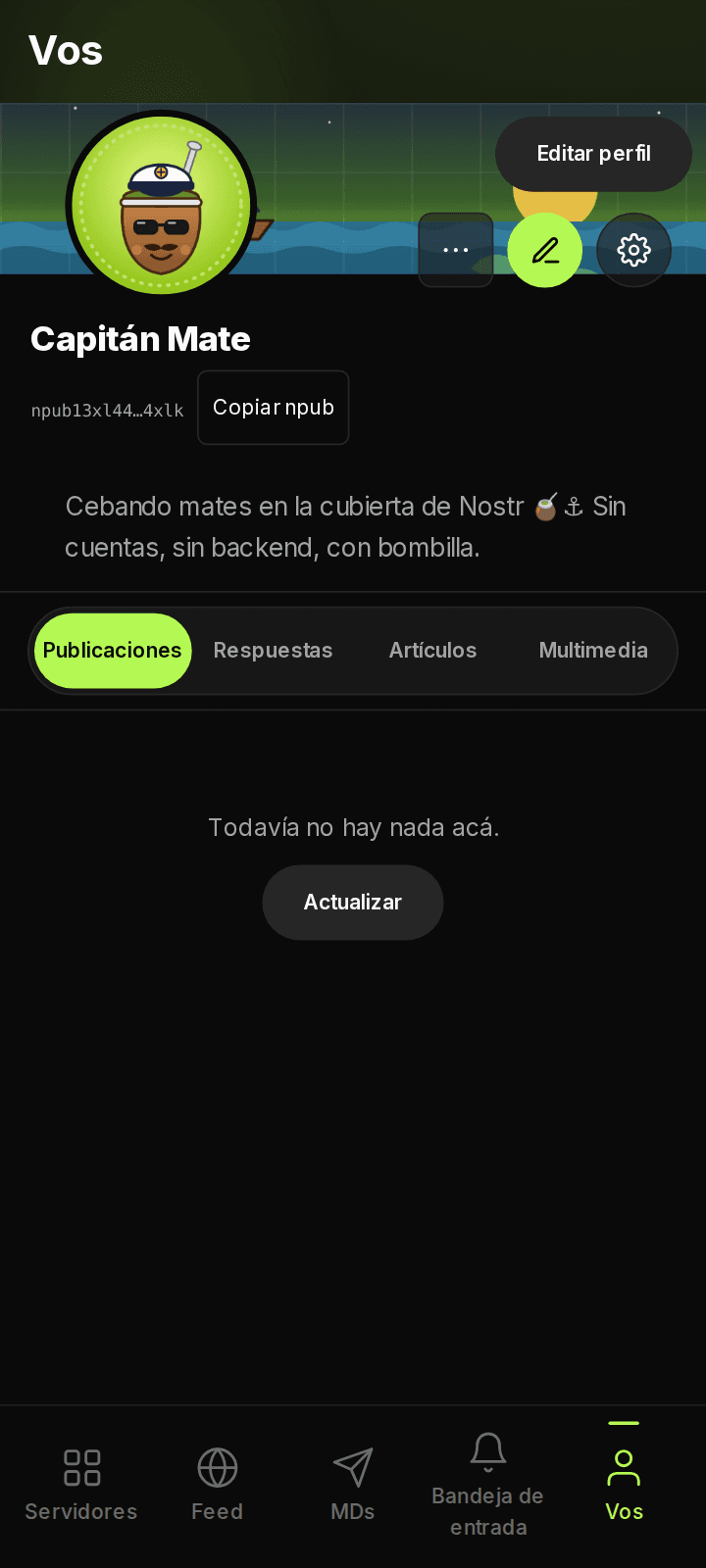
Obelisk mobile profile screen: banner, avatar, name, npub with a copy button, bio, an Edit profile button and the profile's tabs.
Profile & identity

Your Nostr profile, your settings

The same public profile every Nostr client uses: display name, banner, bio, NIP-05, Lightning address. Edit it once and every Nostr app sees the change.

  • Copy npub or hex pubkey with one tap
  • Share a public link to your profile
  • Per-device preferences kept in localStorage

Take Obelisk with you.

Open the web app on your phone, install it from the browser menu, and you're done. No app store, no review, no platform tax.

Launch on mobile