Desktop tour

A Discord-class workspace, on the open Nostr stack

Obelisk in your browser: server rail, categorized channels, publications, member list, mediasoup-powered voice rooms, encrypted DMs and Lightning zaps, all on relays you control.

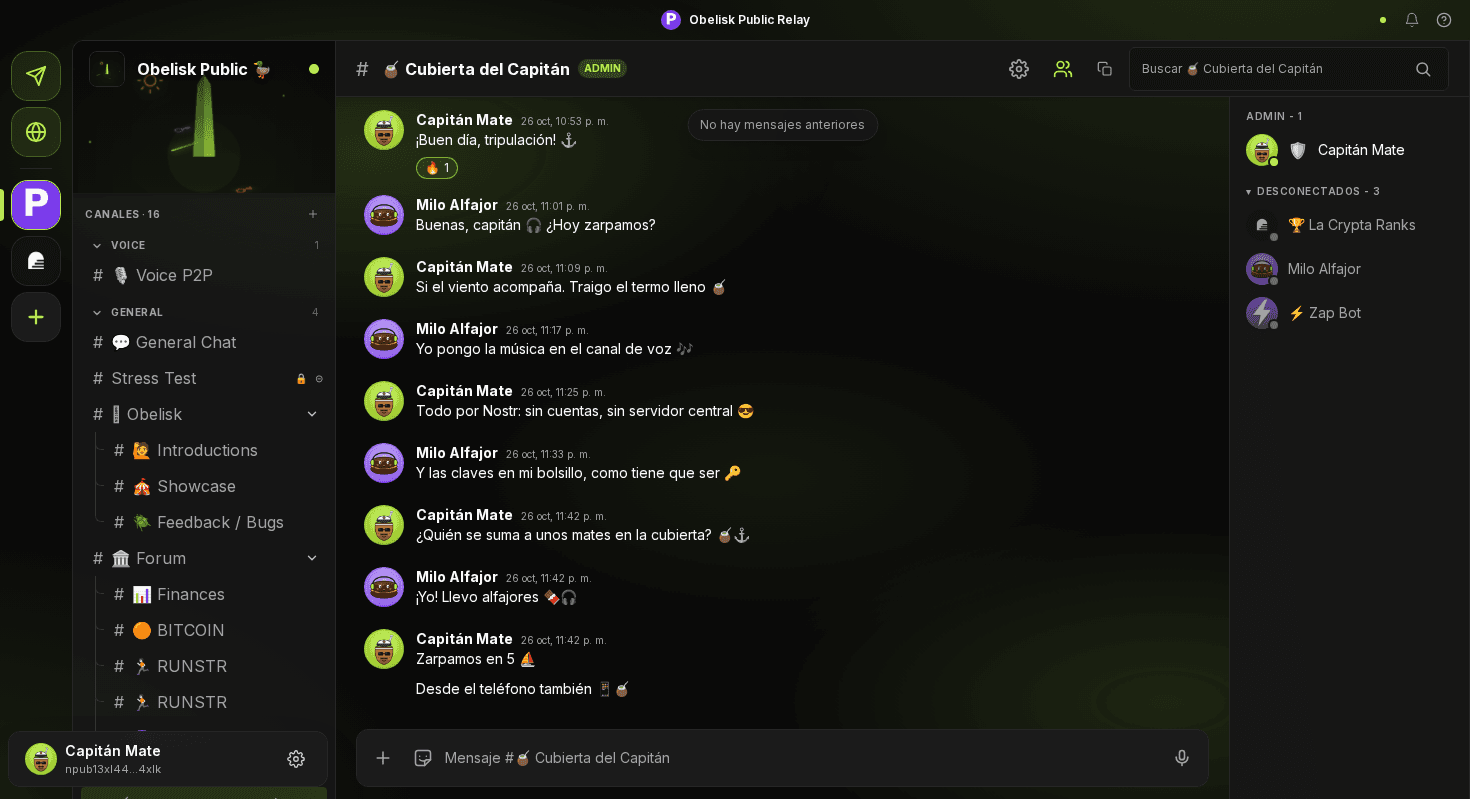
Obelisk desktop view of a channel on the public relay: server rail, channel list, a conversation between two members with a reaction, and the right-side member list.
Group chat

Three-pane chat, member list and reactions

The familiar Discord layout (server rail, channel list, message stream, member sidebar) wired straight to NIP-29 events on the relay. Every message is a signed Nostr event: no backend, no proprietary format.

  • Replies, reactions and rich link previews
  • Member list reflects the relay's NIP-29 roster live
  • Lightning zap any message via NIP-57, paid with NWC or a WebLN extension
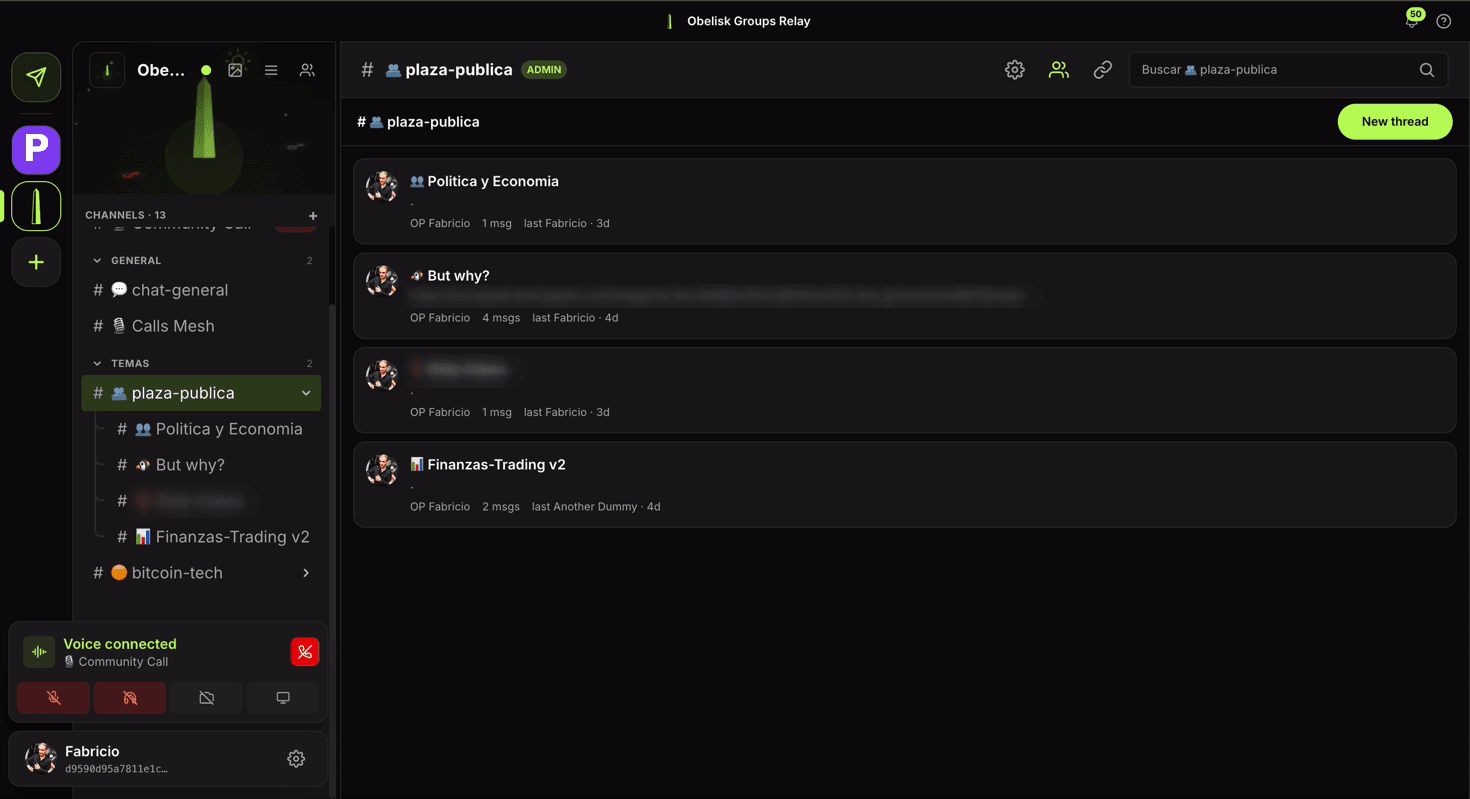
Obelisk desktop publications view of plaza-publica: four publications (Politica y Economia, But why?, Only-Claws, Finanzas-Trading v2) with OP, message count and last reply time.
Publications

Publications for slower, deeper conversations

Publication-kind channels turn into a tidy feed: a list of posts, OP and last-reply metadata, each with its own chat, and the same NIP-29 moderation as every other channel.

  • One-click 'New publication' to start a topic
  • Each card shows its message count and last reply
  • Same admin model: removals live on the relay
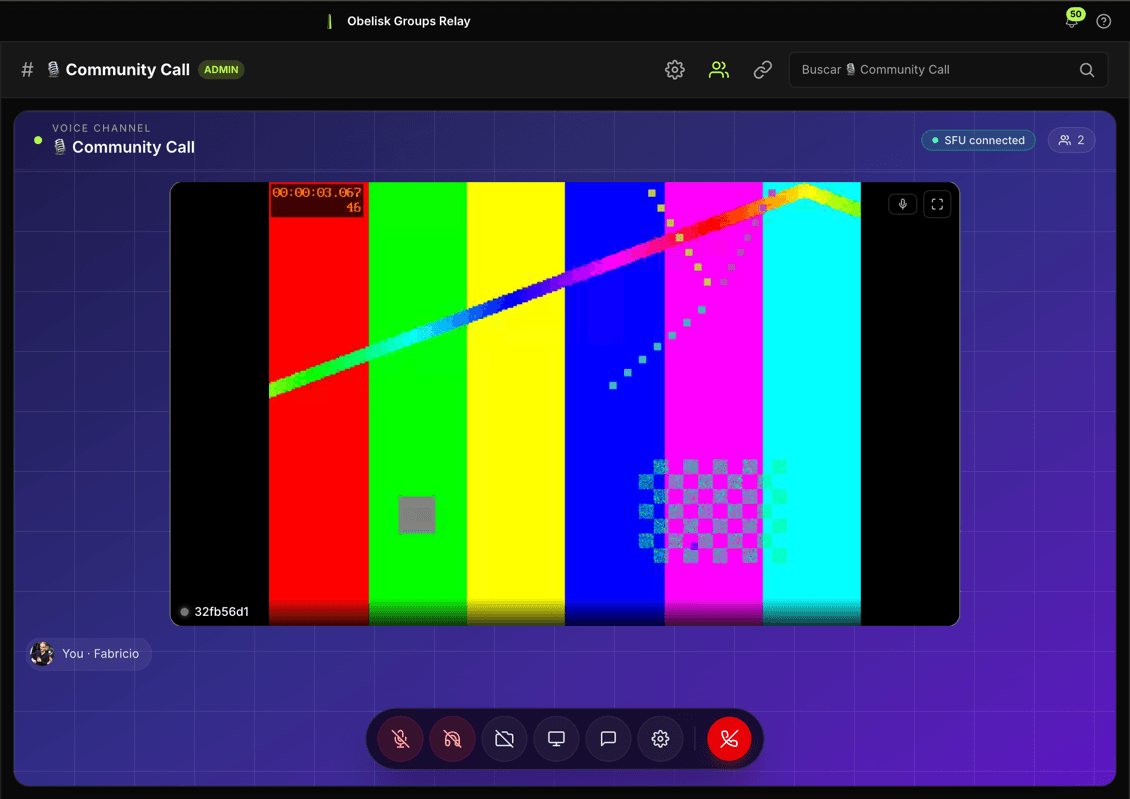
Obelisk desktop voice channel in SFU mode showing a test peer streaming an SMPTE color-bar test pattern with the chat sidebar and voice controls.
Voice • SFU

Big voice rooms with mediasoup and screen share

Small voice channels are a P2P mesh; big-room voice channels route through a mediasoup SFU the channel admin picks. Same UI, just more people and screen share without melting CPUs.

  • Pick the SFU per channel, or host your own
  • Camera and screen share in every room
  • Mesh signaling rides on Nostr, no sticky-session backend

Open Obelisk in any browser.

It's a frontend with no signup and no backend of its own. Open it locally, install the PWA, or self-host the build. Same client either way.

Launch on desktop