Run your own relay: admission is a ladder, not a switch
Obelisk Relay is a NIP-29 relay that decides for itself who may connect: a hand-written allowlist, the accounts your references follow, and the follow graph beyond them, each on a smaller share of the rate budget. Two commands to run one.
An ordinary relay is a dumb store
It takes what you send it and hands it back. That is the whole contract, and for most of Nostr it is the right one.
It does mean a relay has no opinion about membership. Whoever holds a group id can write to it, and "who is in this group" is whatever each client decides to believe. A private group is private for exactly as long as every client agrees to pretend that it is. That is not a security property, it is an etiquette.
A NIP-29 relay decides instead
 obelisk-relay enforces roles, membership and
visibility where the data actually lives, and filters on read. A non-member
asking for a private group's messages does not get a greyed-out button. They get
nothing, because there is nothing to send them.
That is a real improvement and a real burden. Deciding who may connect is now a job somebody has to do, on a disk somebody has to pay for. Most of this article is about the tools for that job.
Two commands
git clone https://github.com/obelisk-app/obelisk-relay.git
cd obelisk-relay

./setup.sh     # a working relay on localhost:8080
./expose.sh    # publish it at wss://your.domain, when you're ready
The split is deliberate: each script has one job. setup.sh checks Docker, port
8080 and disk, asks for the npub that will administer the relay, writes a fresh
config and brings the container up. expose.sh walks you through a Cloudflare
Tunnel, writes a cloudflared sidecar, updates the advertised address and
restarts both together on reboot.
Stop after the first one and you have a relay on your laptop. That is a legitimate place to stop.
First boot
With no relay_secret_key configured, the relay mints its own keypair on start
and writes it to config/settings.local.yml, logging the pubkey once. Keep
config/ on a persistent volume: the relay's identity is what its group state
is anchored to, so a relay whose pubkey changed on every boot would invalidate
that state each time.
With no admin pubkeys configured it comes up in setup mode, and /admin shows a
wizard rather than a login screen. Three steps, all in the browser.
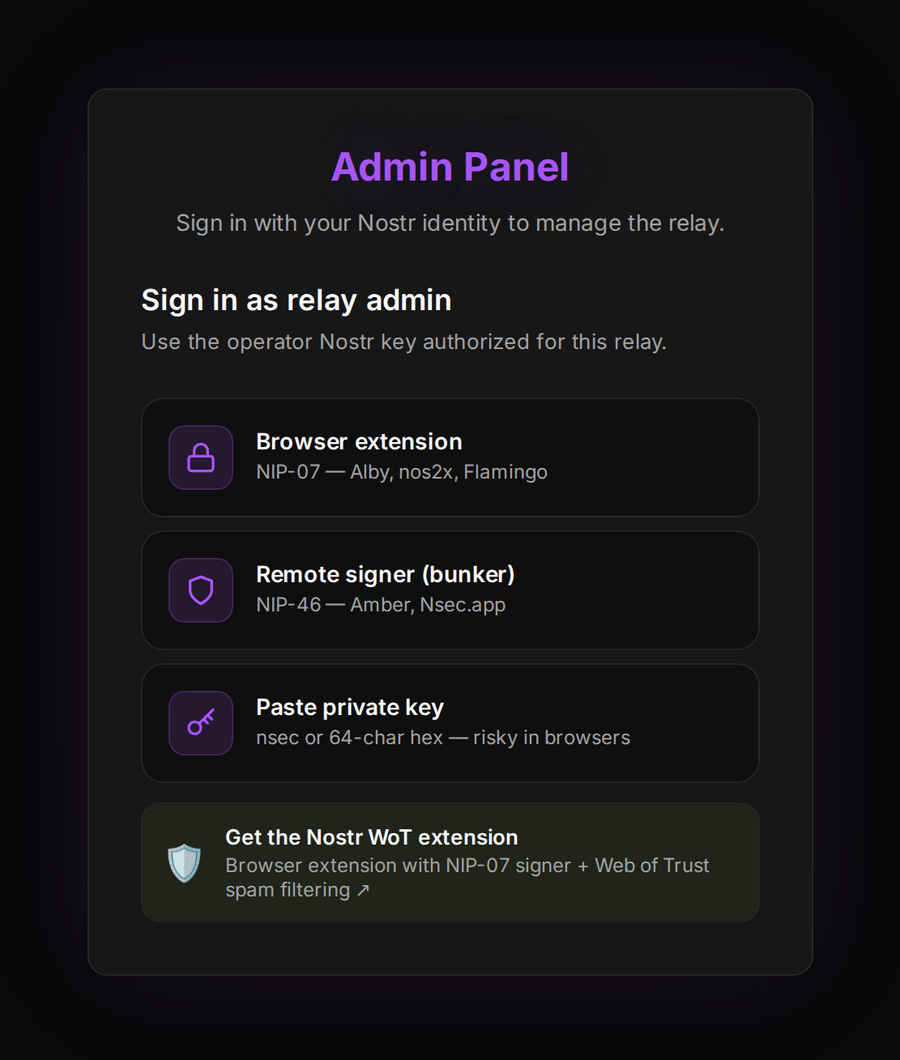
Whichever key signs here becomes the first admin. That is worth reading twice: you do not nominate an npub, you demonstrate control of one. Browser extension, remote signer, or a pasted key if you insist. Then you choose whether the relay is open or restricted, and it writes its config and restarts into the console.
Relay health
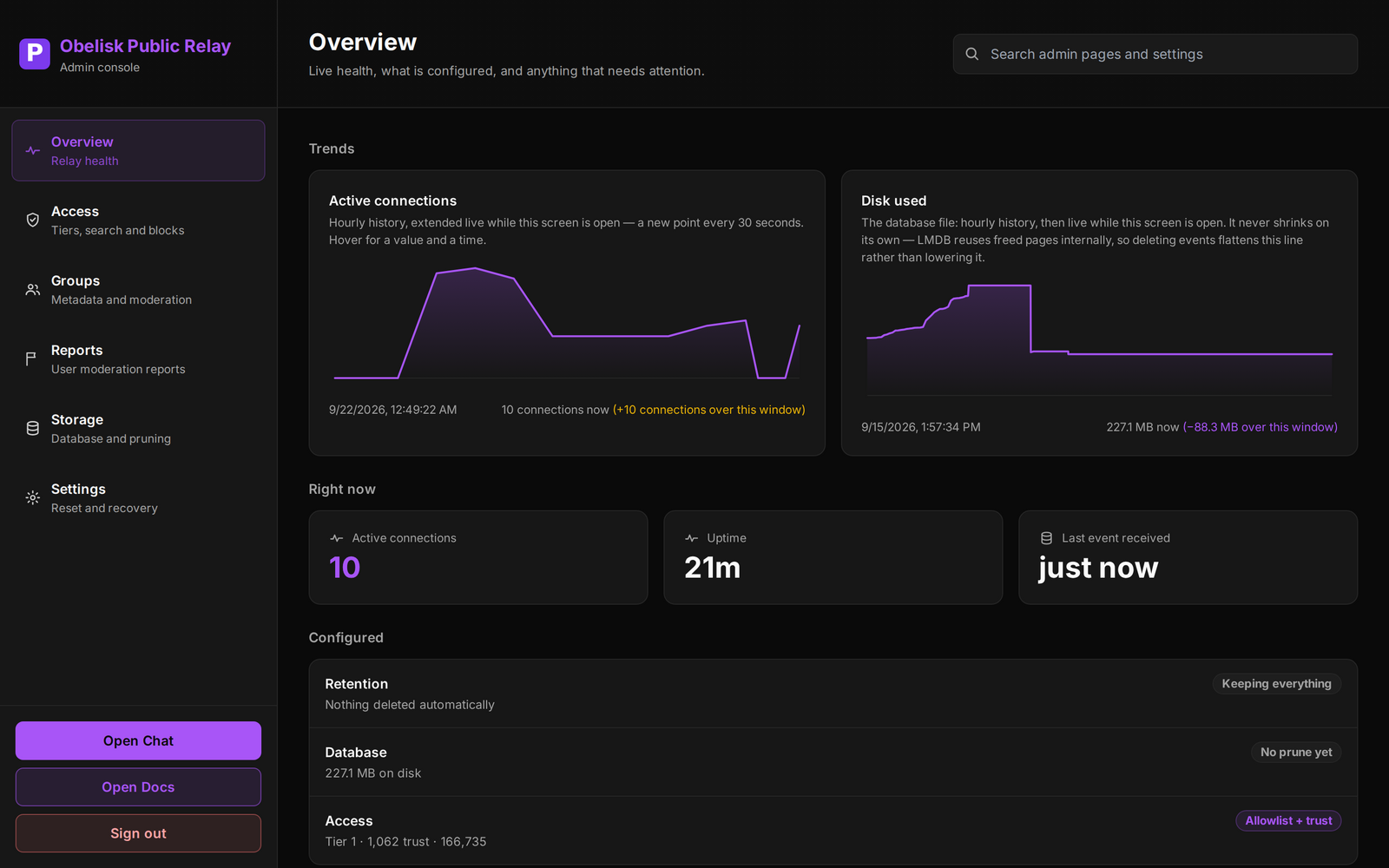
Connections and database size are drawn hourly and extended live while the screen is open. The line worth understanding is Disk used, because it does not behave the way a file usually does: the relay stores events in LMDB, which reuses freed pages internally and never returns them to the filesystem. Deleting events flattens that line rather than lowering it. A flat event count beside a rising line means the database wants compacting, not pruning.
Admission is a ladder, not a switch
This is the idea the whole product is built around, so it is worth stating plainly before looking at any screen.
Someone you added by hand. Someone your reference accounts follow. Or someone close enough in the follow graph to be worth the benefit of the doubt. Decided in that order, and a block list that overrides all three, checked first.
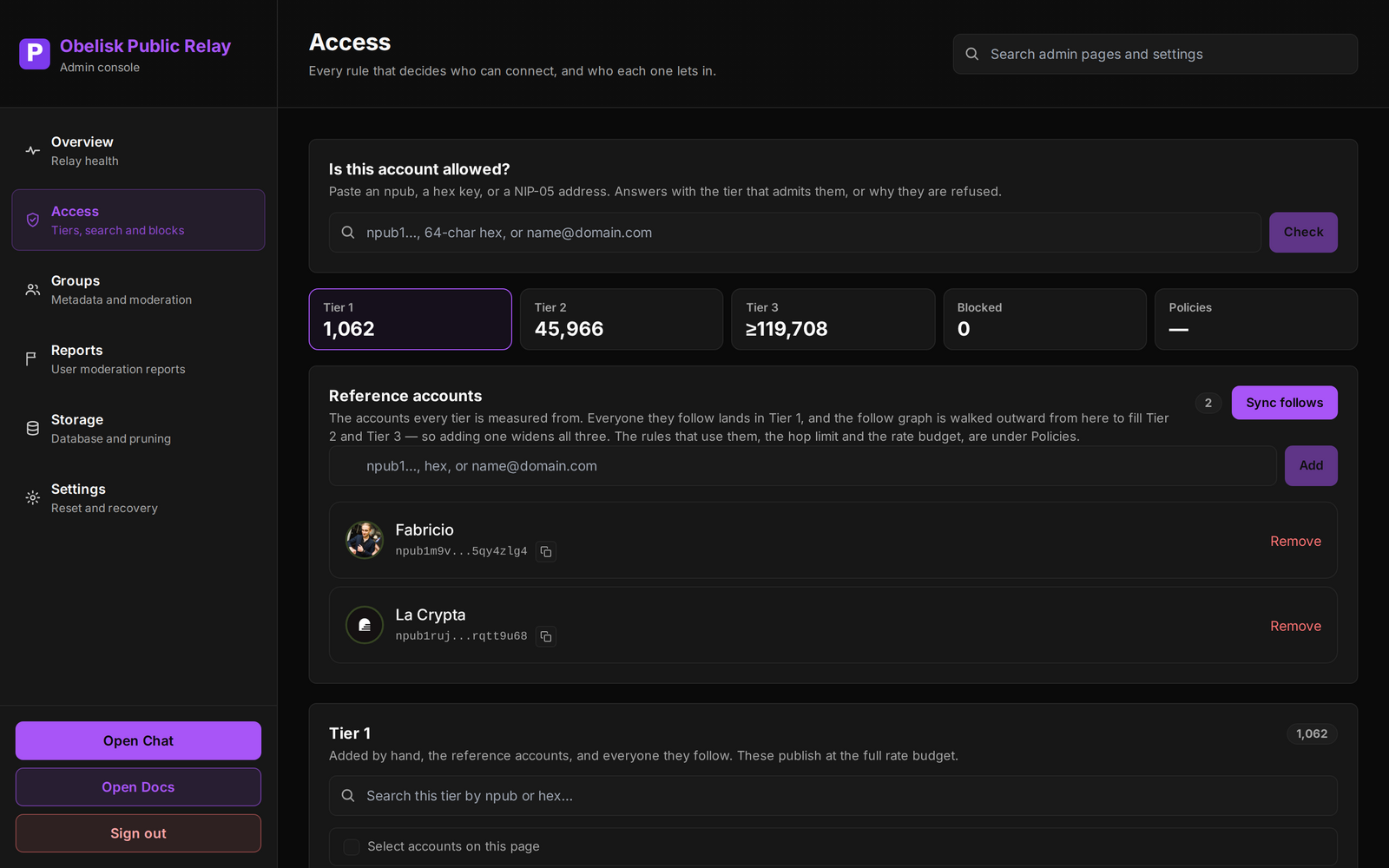
The reference accounts at the top of that screen are the roots of the whole structure. They are the accounts every tier is measured from: everyone they follow lands in Tier 1, and the follow graph is walked outward from there to fill Tier 2 and Tier 3. Adding one reference account widens all three tiers at once, which is the single highest-leverage control on the relay and the one to think hardest about.
Tier 2 is two hops out. Tier 3 is three, and the console says at least rather than printing a total, because the outermost hop is the one the graph runs out of budget to finish. Honest beats tidy: a number presented as complete when it is not is worse than a floor you can reason about.
What a tier costs you
Trust is not binary, so the budget is not either.
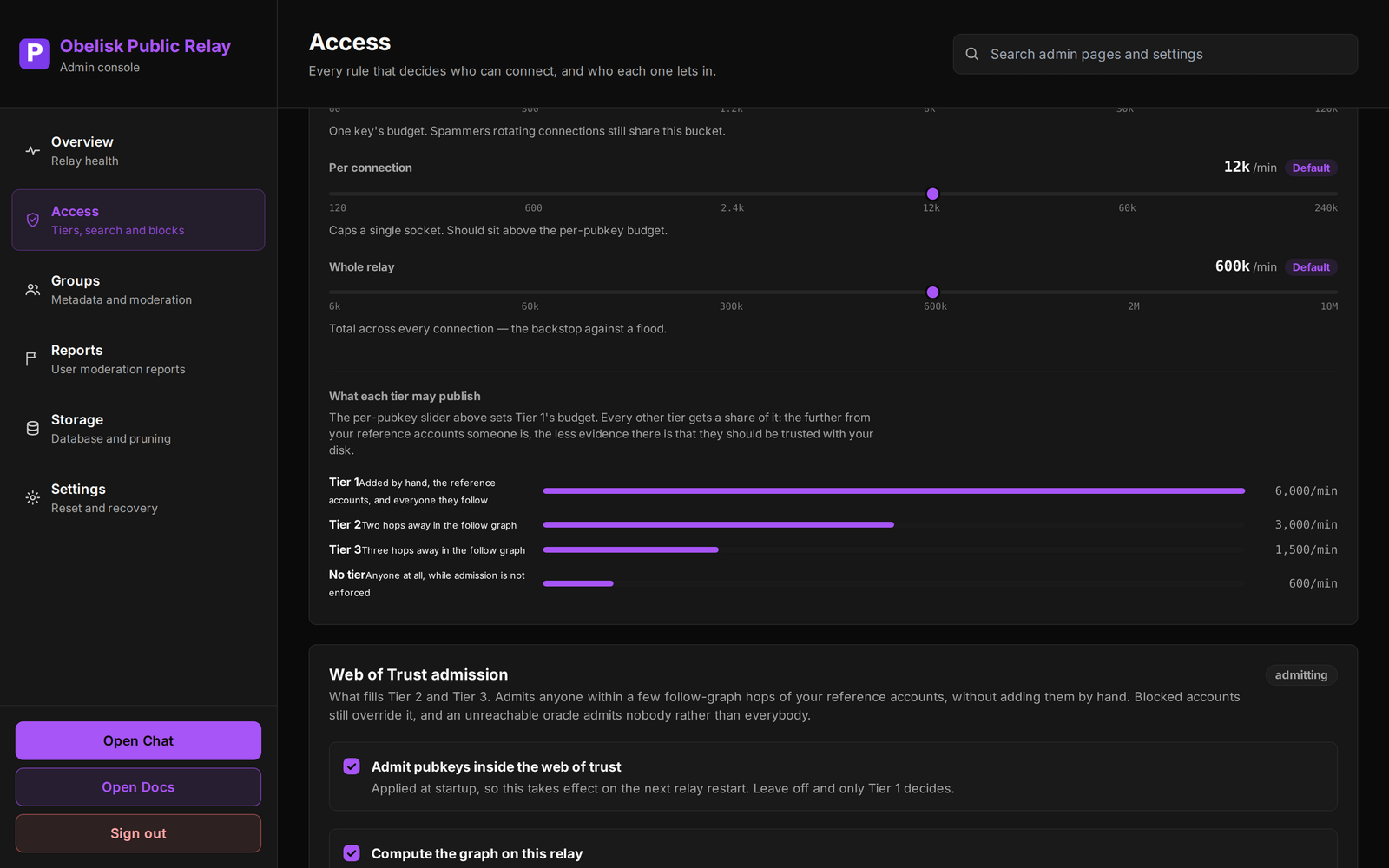
Tier 1 publishes at 6,000 events a minute. Tier 2 gets half of that, Tier 3 a quarter, and anyone admitted while enforcement is off gets 600. The reasoning is the same one that orders the ladder: the further from your reference accounts someone is, the less evidence there is that they should be trusted with your disk.
Two other limits sit above the per-pubkey one, and both matter more than they look. The per-connection cap should sit above the per-pubkey budget: it caps a single socket, and setting it lower makes the per-pubkey number unreachable. The whole-relay cap is the backstop against a flood from everybody at once, and it is the one that saves you when the first two were tuned optimistically.
Paste a key, get an answer
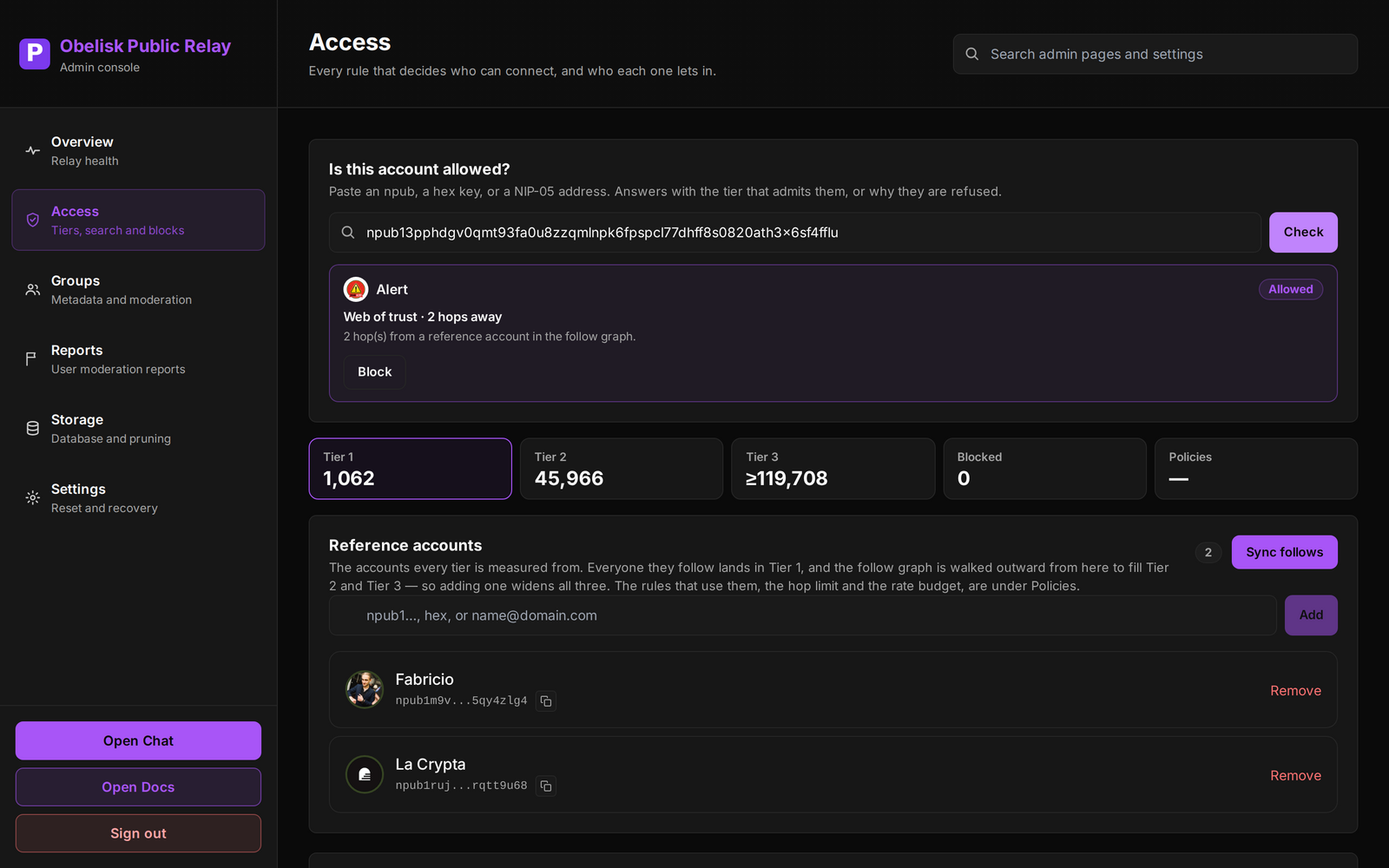
Most access questions arrive as "why can't this person connect?", and this is the box that answers them. It takes an npub, a hex key or a NIP-05 address, and replies with the tier that admits them and how far away they are, or why they were refused. The Block button sits beside the verdict, because the answer and the action belong in the same place.
Moderation that survives contact with reality
Ten people reporting one message is one decision, not ten. The queue groups by what was reported, one row per thing, counting distinct reporters rather than volume.
The part that matters most is the least visible: the relay snapshots the reported message when the report lands. Without that, a reported account deletes their own message and the complaint becomes unreviewable: deletion as a defence rather than a remedy.
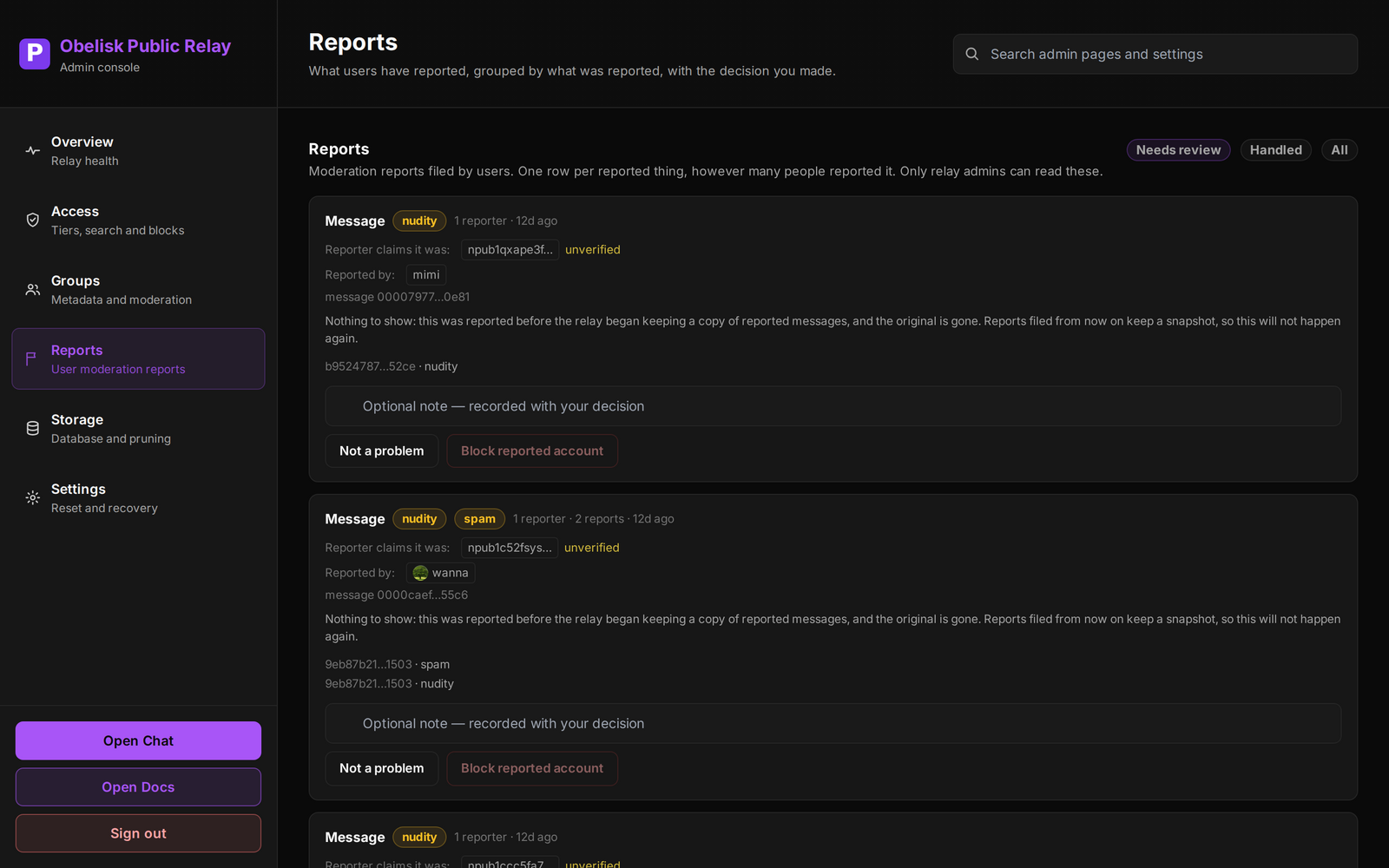
Reports are readable by relay admins only, and that is a deliberate choice rather than an oversight. On a relay where admission is a social graph, a public report queue is a retaliation channel.
Nothing expires unless you arm it
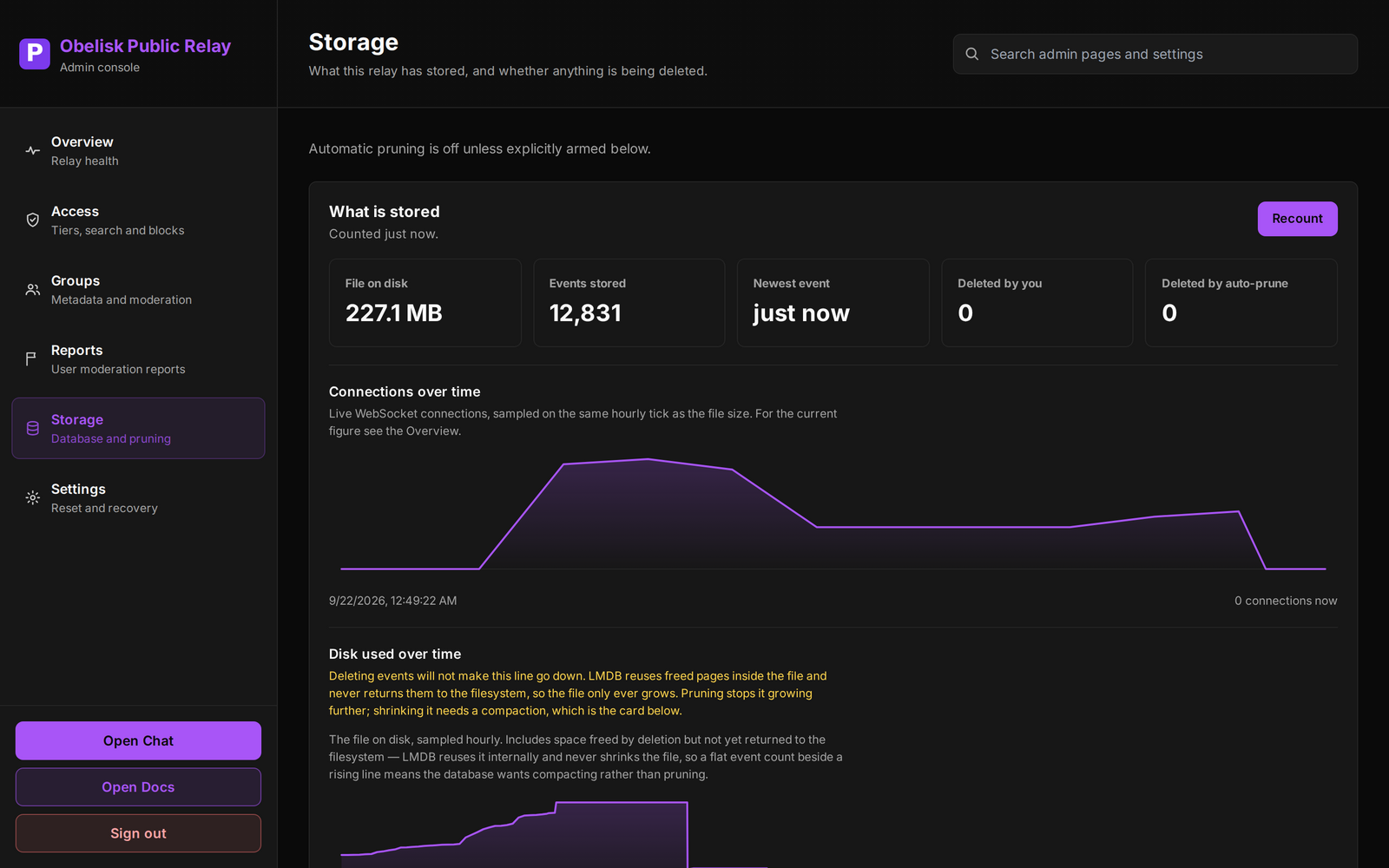
Automatic pruning is off until you turn it on, and retention is set per event kind, so short-lived traffic can expire without touching conversations. Group management and state kinds are never deleted, and neither is anything replaceable or addressable: the relay keeps only one of those per user, so deleting them would destroy live state and free no space worth having.
Count before you arm a policy. The overview samples rather than scanning, and the sample over-represents gift wraps.
Putting it behind a domain
The relay serves HTTP, WebSocket and its own frontend on one port. Bind it to loopback and terminate TLS in front of it:
relay.example.com {
    reverse_proxy 127.0.0.1:8080
}
Caddy needs nothing special for WebSocket upgrades; nginx needs Upgrade and
Connection passed through.
Pointing Obelisk at it
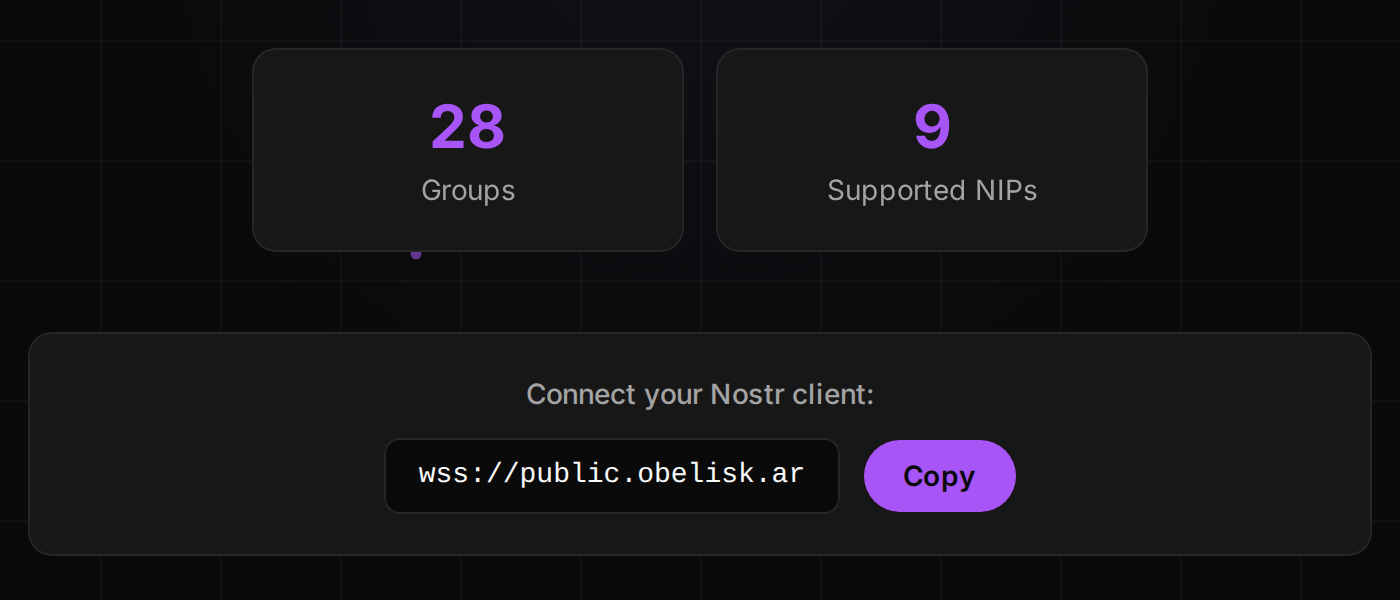
Nothing about your relay is Obelisk-specific: it speaks NIP-29, and any client that does will work. But if you want the chat client:
https://obelisk.ar/app?relay=relay.example.com
For something you can hand to a person rather than paste into a config, Obelisk
encodes a relay into a short share link at obelisk.ar/r/<code>. Visiting it
adds the relay to the reader's list and switches to it, and re-visiting is a
no-op, so it is safe to put in a pinned message or a bio.
The relay is AGPL-3.0 on GitHub,
and there is one running right now at wss://public.obelisk.ar if you would
rather look before you install.